Are you wondering how to effectively blend HTML with jQuery to create interactive UI components? HTML is a foundational markup language, but when combined with jQuery, it unlocks powerful scripting capabilities. This guide covers ten essential techniques, tutorials, and plugins to extend HTML's limitations, enabling dynamic DOM manipulation, templating, and advanced interface enhancements. This helps craft an optimal, people-first helpful content experience.
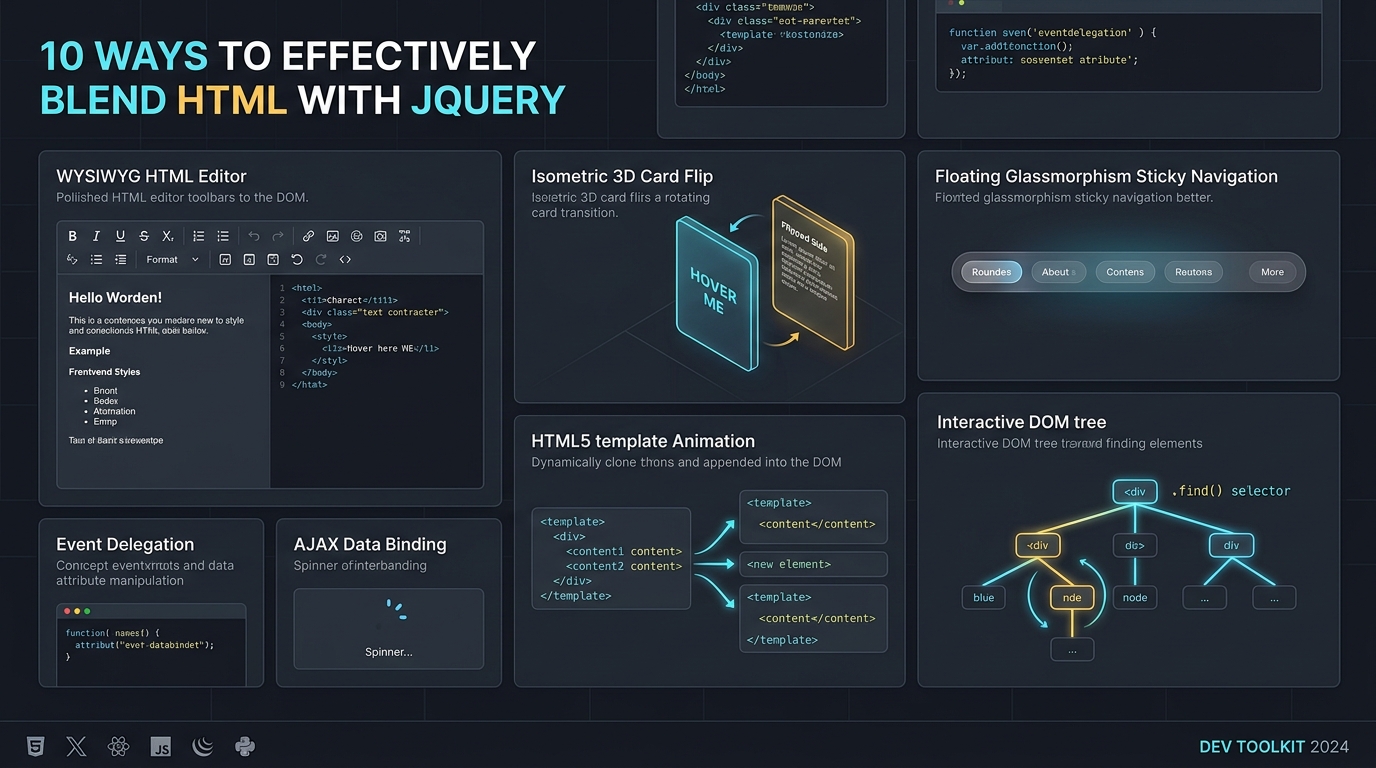
1. jHtmlArea – WYSIWYG HTML Editor for jQuery
A simple, lightweight, extensible WYSIWYG HTML Editor built on top of jQuery. This component allows you to easily display a WYSIWYG HTML Editor in place of any TextArea DOM Elements on the page.
By progressive enhancement, standard <textarea> form controls degrade gracefully when scripting is disabled, while initializing into rich formatting toolbars (bold, italic, ordered lists, hyperlink insertion, and raw HTML source toggle) via a single $('textarea').htmlarea(); call.
2. FLEX On jQuery: Turning HTML Links into Standard UI Elements
Learn how to turn standard static HTML links into fully functional UI elements using the FLEX plugin. This improves user interaction by upgrading basic links to dynamic interface components.
Semantic anchor tags (<a href="...">) remain crawlable and keyboard-accessible, while jQuery binds custom hover transitions, button states, and modal triggers without polluting the underlying HTML markup with presentational attributes.
3. Easy HTML Templating with jQuery
Your first step is creating your template; your template is the HTML that gets added to the page. You want it to be hidden; throwing it in a script tag is a good way to do this. You need to give it an ID that can be referenced in your code. You can create multiple reusable templates as well.
<script id="user-card-template" type="text/html">
  <div class="user-card">
    <h3 class="user-name">{{name}}</h3>
    <p class="user-role">{{role}}</p>
  </div>
</script>
Because browsers ignore <script type="text/html"> blocks during initial layout parsing, storing client-side HTML templates inside non-executable script tags avoids hidden DOM overhead until jQuery reads $('#user-card-template').html() and injects interpolated nodes into the live document.
4. Rotate3Di – Flip HTML content in 3D
The plugins functionality includes setting or animating HTML content to an arbitrary isometric rotation angle, as well as flipping, unflipping, or toggling the flip state of an object for an immersive 3D effect.
Using CSS transforms synchronized with jQuery animation queues, Rotate3Di calculates horizontal skew and scale matrices frame-by-frame so two-sided HTML cards can swap front and back faces smoothly at the 90-degree midpoint.
5. Default html button submit on enter with jQuery
This is a fast and efficient solution to select an HTML submit button and make it the default action when a user presses the enter key from specific or all input elements on a form.
$('form input').on('keydown', function(e) {
  if (e.which === 13) {
    e.preventDefault();
    $('#default-submit-btn').trigger('click');
  }
});
6. jQuery HTML Truncator
Truncating on the server-side is great when you do not want to show the full text, such as in an index of items. Another common case for truncation is 'read more' functionality: you want to display a short truncated snippet first, with a disclosure link to reveal the rest of the layout.
Unlike naive character-count string slicing that can sever open HTML tags (such as <strong> or <a>) and corrupt page layout, DOM-aware HTML truncation traverses text nodes while preserving valid closing tags.
7. Get full html string including the selected element itself with jQuery
Sometimes you need to get the selected element's complete HTML structure when using the .html() function. This simple tutorial explains exactly how to extract the full HTML string, including the outer container itself.
// Clone the target element into a temporary wrapper to read outerHTML
var fullHtml = $('<div>').append($('#target-box').clone()).html();
8. Creating a Floating HTML Menu Using jQuery and CSS
For all of us who deal with long web pages and need to scroll to the top for the navigation menu, here is a nice alternative: floating menus that move as you scroll a page. This is implemented using standard HTML, CSS, and jQuery, making it fully W3C-compliant.
By listening to $(window).scroll() and reading $(document).scrollTop(), the navigation container smoothly animates its top offset or toggles a fixed viewport class so primary navigation links remain immediately reachable on long-form documentation pages.
9. Retrieve a Portion of HTML with jQuery
jQuery offers highly powerful methods to utilize AJAX effectively. One particularly useful method is .find(). The .find() method allows you to search for a specific HTML ID within a larger HTML response and returns only the targeted content.
$('#result-container').load('/articles/latest.html #featured-summary');10. Cleanup your html with jQuery
Learn how to dynamically clean up and format your HTML markup. The tricky part is ensuring borders and corners retain a proper shaded shadow while requiring the container box to support a fluid, dynamic width.
Using jQuery selector filters such as $('p:empty').remove() and attribute sanitizers keeps user-generated HTML clean, semantic, and consistent across fluid multi-column layouts.
Frequently Asked Questions (FAQ)
How do you embed jQuery within an HTML document?
You can embed jQuery in an HTML document by including a script tag within the head or just before the closing body tag. You can point the src attribute to a local jQuery file or a Content Delivery Network (CDN) link.
Is blending HTML with jQuery still relevant today?
Yes, while modern frameworks exist, blending HTML with jQuery remains highly relevant for legacy system maintenance, rapid prototyping, and building simple interactive UI components.
What is the advantage of using jQuery for HTML DOM manipulation?
The primary advantage of using jQuery for HTML DOM manipulation is its concise, cross-browser syntax. It significantly simplifies tasks like event handling, AJAX requests, and traversing the DOM structure.